
Best Laser Engraver for Beginners: Enclosed vs Open Picks
The best laser engravers for beginners in October 2026, compared by optical watts, enclosure and laser class, camera, work area and price, plus what each cannot do.
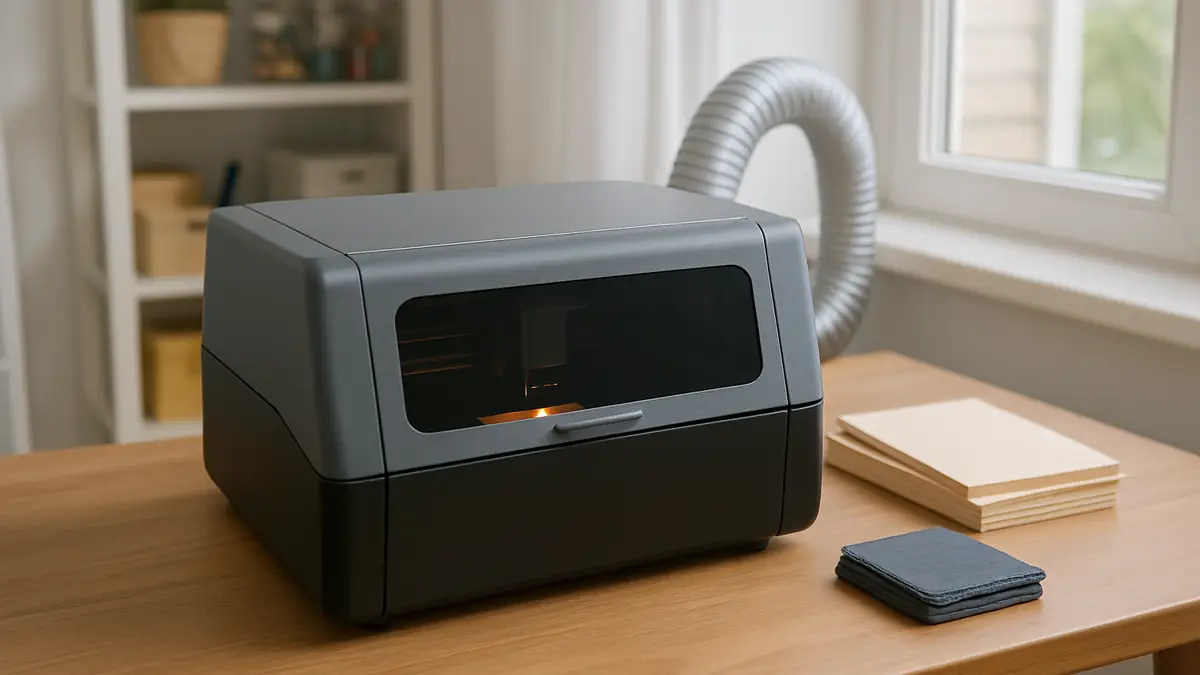
A beginner laser engraver is a machine that burns or vaporizes a design into wood, leather, acrylic and coated metal using a focused beam, controlled from a computer or phone. The right first machine depends less on power than on where you will run it: a closed lid with a filtered window changes who can be in the room, how much smoke escapes and how much can go wrong.
We did not test these machines hands-on. We compared manufacturer spec sheets, the makers’ own US stores (prices checked October 2026), manufacturer material libraries and owner-forum consensus, and we say what each machine cannot do.
Which laser engraver should a beginner buy?
For most people starting out, an enclosed 20 W diode laser is the safest bet: it engraves wood, leather, slate and coated metal, cuts thin plywood and dark acrylic, and keeps the beam and most of the smoke inside a box. Spend less only if you have a ventilated garage and accept the eyewear rules of an open-frame Class 4 machine.
| Machine | Laser and optical power | Enclosure and class | Camera / autofocus | Work area | US price, Oct 2026 | What it cannot do |
|---|---|---|---|---|---|---|
| Creality Falcon A1 Pro | 20 W blue diode (455 nm), optional 2 W IR | Enclosed, Class 1 (FDA) | Yes / yes | 268 x 358 mm | from $1,099 | Clear acrylic, bare steel without the IR module |
| xTool S1 20 W | 20 W blue diode, optional 2 W IR module ($599) | Enclosed, Class 1 | Pin-point positioning, no full-bed camera / yes | 498 x 330 mm | $1,299 (basic bundle) | Clear acrylic, bare metal without the IR module |
| xTool S1 40 W | 40 W blue diode | Enclosed, Class 1 | Pin-point positioning / yes | 498 x 319 mm | $1,699 (basic bundle) | Clear acrylic, bare metal |
| xTool M2 | 10 W or 20 W blue diode | Enclosed, Class 1 | Dual cameras / yes | check spec sheet | $499 (10 W), $899 (20 W) | Clear acrylic, bare metal, thick hardwood |
| Glowforge Aura | 6 W diode | Enclosed | Live camera / yes | 12 x 12 in | $999 (list $1,199) | Clear acrylic, bare metal, cuts over 1/4 in; needs internet |
| Ortur Laser Master 3 | 10 W or 20 W blue diode (40 W option) | Open frame, Class 4 | No / no | 400 x 400 mm (10 W) | $299.99 (10 W), $639.99 (20 W) | Clear acrylic, bare metal; needs eyewear and venting |
| Sculpfun S30 Pro Max | 20 W blue diode | Open frame, Class 4 | No / no | check spec sheet | $479.99 | Clear acrylic, bare metal; needs eyewear and venting |
| xTool P2S (step-up) | 55 W CO2 (10,600 nm) | Enclosed, Class 4 or Class 1 versions | Dual 16 MP cameras / yes | 600 x 305 mm | $2,999 | Bare metal without marking compound |
Prices are the lowest listed configuration on each maker’s US store in October 2026; bundles with air purifiers, rotaries and risers cost more.
Why should a beginner choose enclosure before watts?
Enclosure decides how safely and how often you will actually use the machine, while watts only decide how fast it cuts. An open-frame diode is a Class 4 laser product: reflected light from the bed can injure eyes, so everyone in the room needs glasses rated for 445 to 455 nm, and the smoke drifts wherever the air goes.
A Class 1 enclosed machine such as the Creality Falcon A1 Pro or xTool S1 has a filtered lid and an interlock that stops the laser when the lid opens. Creality states that the A1 Pro’s enclosure filters laser light so goggles are not needed in normal use. The box also channels smoke to one exhaust port, so a single duct or purifier handles it.
The practical rule: if the machine will live in a spare room, near children or pets, or in a flat without a window you can vent through, buy enclosed. Put the saved money from an open frame into ventilation and eyewear if you go that way. Our laser engraver safety guide covers eyewear ratings and fume handling.
What do the watts on a laser listing actually mean?
The number that matters is optical output power, the light that reaches the material. Reputable makers now quote it directly: Ortur sells the Laser Master 3 with 10, 20 and 40 W optical modules, and Creality lists the A1 Pro as 20 W optical power. Some marketplace listings still print a larger figure that is the electrical input of the module, so an “80 W” headline can describe a machine with about 10 W of light.
Rough guide for blue diodes, using manufacturer claims:
- 5 to 10 W optical: engraving on wood, leather, slate and coated tumblers; cuts 3 mm basswood plywood in one or two passes.
- 20 W optical: the beginner sweet spot. Creality rates the A1 Pro at 10 mm basswood in one pass.
- 40 W optical: faster cutting of thicker plywood. xTool says its 40 W S1 module cuts 18 mm wood; expect several passes and charred edges at that thickness.
Our laser engraver for wood guide has cut depths by wood type.
Creality Falcon A1 Pro or xTool S1: which is the better first machine?
The Falcon A1 Pro is the easier first machine; the xTool S1 is the bigger one. The A1 Pro ($1,099) has a built-in camera for positioning, AI visual autofocus, a touchscreen, a 600 mm/s CoreXY motion system and an optional 2 W infrared module for marking bare metal. Its bed is 268 x 358 mm, which fits coasters, signs and cutting boards up to about 10 x 14 in.
The xTool S1 20 W ($1,299 basic bundle) gives a much larger 498 x 330 mm bed, a conveyor and passthrough option for long pieces, and a 40 W module upgrade path ($1,099 for the module). It positions designs with xTool’s Pin-point laser-dot system rather than a full-bed camera.
Choose the A1 Pro if camera alignment and price matter most. Choose the S1 if you plan to cut full 12 x 19 in sheets or sell batches.
Glowforge Aura or xTool M2: which craft laser fits a home crafter?
Both are compact, enclosed craft lasers built around a camera and simple software, aimed at people who make cards, earrings, ornaments and gifts rather than thick signs. The xTool M2 is the stronger machine for the money: $499 for 10 W or $899 for 20 W, dual cameras, Class 1, and a print-then-cut option for full-color designs.
The Glowforge Aura ($999 on sale, $1,199 list) is a 6 W diode with a 12 x 12 in cutting area and a passthrough slot. It cuts up to 1/4 in and engraves items up to 3/4 in thick with the tray removed. Its software is web-based, so the machine needs an internet connection and Glowforge’s servers to run.
Neither is the right pick if you want to cut 6 mm hardwood or make large signs.
Which open-frame laser is best on a tight budget?
The Ortur Laser Master 3 and Sculpfun S30 Pro Max are the established open-frame choices under $650. The Ortur LM3 10 W costs $299.99 and the 20 W $639.99, with a 400 x 400 mm bed on the 10 W version. The Sculpfun S30 Pro Max is a 20 W diode at $479.99 machine-only on Sculpfun’s US store.
Open frames cost less because there is no box, camera or interlock. That shifts cost and responsibility to you: OD5+ eyewear for 450 nm for everyone in the room, a fireproof surface, an extraction fan or enclosure, and never leaving the machine running unattended. The Sculpfun S30 series has automatic air assist built in; enclosures are extra (Ortur lists a metal enclosure for its Laser Master 2 Pro at $329.99), which narrows the price gap with an entry enclosed machine.
Is a portable laser engraver a good first machine?
A portable galvo laser suits sellers who personalise small items at markets, not beginners who want to cut parts. Galvo machines steer the beam with mirrors, so they mark small areas very quickly but do not cut sheets.
The xTool F2 ($1,299) pairs a 15 W diode with a 5 W infrared laser and a 50 MP camera; it engraves wood, leather and many metals in a small field at up to 6,000 mm/s. Sculpfun’s iCube Pro Max 10 W ($259.99) is a cheaper compact option with a small bed and slower diode engraving. If you want to make coasters and signs from sheet stock, a gantry machine like the Falcon A1 Pro is the better first buy.
When should a beginner skip diode and buy a CO2 laser?
Buy CO2 first if clear or colored acrylic, glass, or fast cutting of 6 mm plywood is the main job. A CO2 laser’s 10,600 nm beam is absorbed by acrylic of any color, glass and wood, which blue diodes cannot match on clear materials.
The entry price is higher: the Monport Reno 45 W Basic costs $1,149.99, the OMTech Polar Lite 55 W $2,199.99 and the xTool P2S 55 W $2,999, which adds dual 16 MP cameras, autofocus, a 600 x 305 mm bed and a 145 CFM exhaust fan. Glass CO2 tubes are consumables; OMTech puts hobby glass tubes at roughly 1,500 to 4,000 hours and sells a 55 W replacement tube for $319.99. Our diode vs CO2 vs fiber comparison has the full material matrix.
What can a beginner diode laser not do?
A blue diode laser cannot engrave or cut clear acrylic or clear glass, because 450 nm light passes through them. It cannot mark bare stainless steel, brass or aluminum without a marking compound or an added 1,064 nm infrared module. It cuts dark opaque acrylic, but slowly, and white acrylic poorly.
No laser should ever cut PVC, vinyl or anything containing chlorine: heating it releases chlorine compounds that damage lungs and corrode the machine. If metal is your main goal, start with our laser engraver for metal guide; for coated drinkware, see laser engraving tumblers.
What does a beginner laser setup cost in year one?
Beyond the machine, budget for ventilation, air assist, materials, a rotary for cups, and possibly software. Figures below are October 2026 maker-store prices.
| Item | Typical cost | Needed? |
|---|---|---|
| Enclosed 20 W diode | $1,099 to $1,299 | The machine |
| Exhaust duct to a window, or an air purifier | Duct often included; purifiers $329.99 (Monport 200W) to $999 (xTool AP2) | Yes, one or the other |
| Air assist | Built into the Falcon A1 Pro and Sculpfun S30 series; a bundle item or add-on for others | Yes for cutting |
| Laser safety glasses rated for your wavelength (open frame only) | about $45 a pair (Monport’s OD7 1,064 nm pair, as a price reference) | Yes for open frames |
| LightBurn Core | $99 one-off, $40 per later year of updates | Optional |
| Rotary for tumblers | $299 (Creality RC2 kit) | Only for cups and bottles |
| Starter materials | $16.90 to $49.99 per pack (Creality’s basswood, MDF and acrylic packs) | Yes |
Software choice also locks in some machines: xTool and Glowforge work best in their own apps. Our laser engraving software comparison shows which program drives which machine.
Who should not buy a beginner laser engraver?
Skip a beginner diode laser if your main work is marking bare steel or jewelry (buy fiber), cutting clear acrylic or 6 mm+ acrylic (buy CO2), or cutting thick hardwood parts every day (a CNC router or CO2 laser fits better). Also skip it if you have no way to vent smoke outdoors or filter it: every laser burns material, and an apartment with sealed windows and no purifier is the wrong place for one.
If you only need a handful of engraved gifts a year, a local maker space or engraving service costs less than any machine on this list.
How did we compare these lasers?
We built the table from each maker’s US store and spec sheet in October 2026: Creality Falcon, xTool, Glowforge, Ortur, Sculpfun and OMTech. Power is optical output as the maker states it. Laser class is listed only where the maker states it. We did not run hands-on tests; where a figure is a manufacturer claim, such as a one-pass cut depth, we say so. Once you have a machine, use our laser settings calculator for starting power and speed, then run a material test grid in scrap.
Frequently asked questions
Quick answers to what readers ask us most
What is the easiest laser engraver for a beginner to use?
An enclosed machine with a camera and autofocus, such as the Creality Falcon A1 Pro or the xTool M2. You place the material, line up the design on a live photo of the bed, and the machine sets focus itself. The lid also blocks the beam.
How many watts does a beginner laser engraver need?
10 W optical engraves well and cuts 3 mm plywood. 20 W optical is the practical sweet spot because it cuts thicker wood in fewer passes. Check that the listing quotes optical output, not electrical input.
Can a beginner laser engraver cut clear acrylic?
Not if it is a blue diode. Clear acrylic lets 450 nm light pass through, so the beam does not heat it. Cutting clear acrylic needs a CO2 laser such as the xTool P2S or OMTech Polar Lite.
Do I need safety glasses with an enclosed laser engraver?
Not for normal use of a Class 1 enclosed machine with the lid closed and interlocks working. Open-frame diode lasers are Class 4 and need eyewear rated for their exact wavelength at OD5 or higher.
Is LightBurn required for a beginner laser?
No. Most machines ship with free software (xTool Creative Space or xTool Studio, Falcon Design Space, LaserGRBL). LightBurn Core costs $99 and is worth it once you run more than one machine or need finer control.